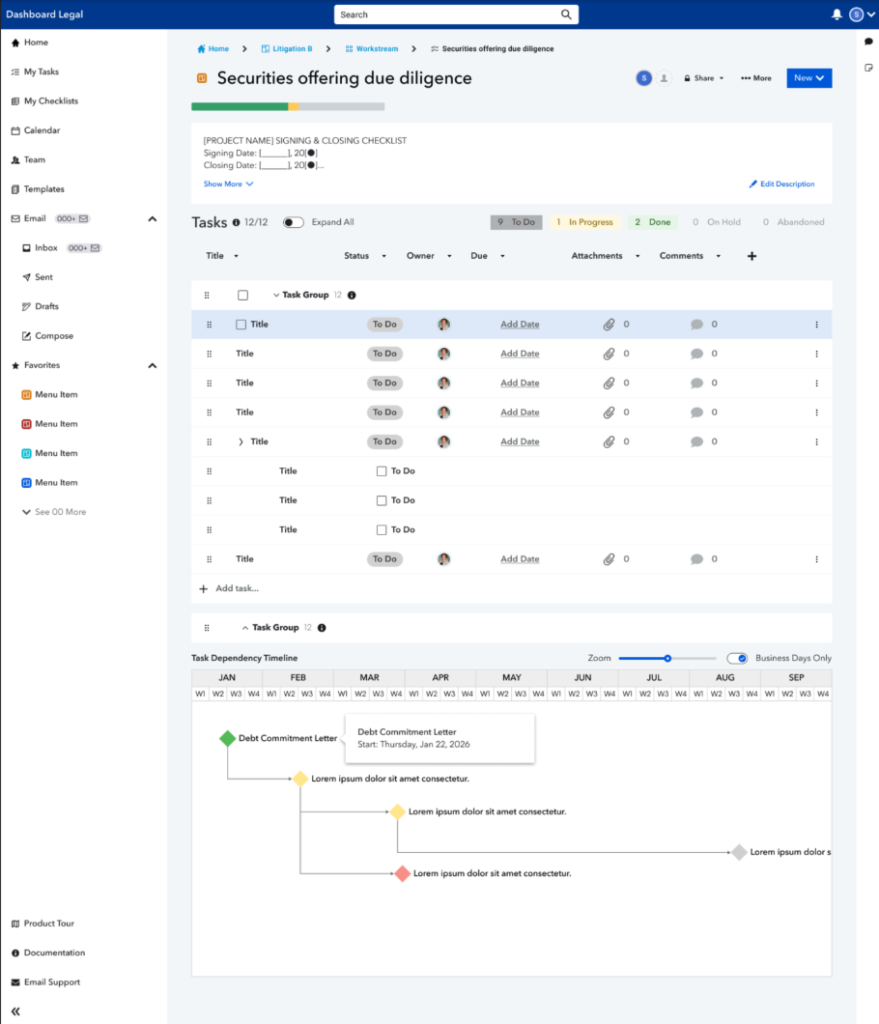
Task Date Dependencies
Overview
Task Date Dependencies help you manage timelines by letting you define fixed day-based offsets between tasks. When the date on the anchor task changes, dependent tasks update automatically.
How to use
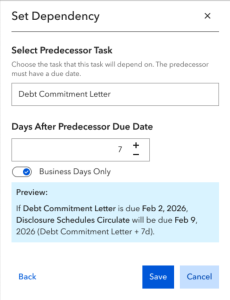
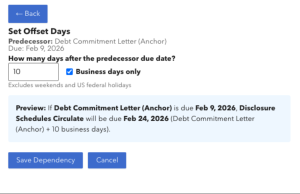
- Set a dependency – Choose a predecessor task and specify how many days later the dependent task should be due.
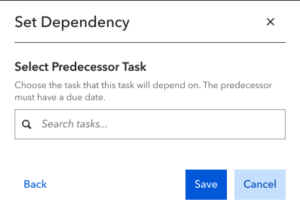
- Choose date logic – Decide whether the offset uses calendar days or business days.
- Auto update – When the anchor task due date shifts, dependent tasks recalculate in real time.
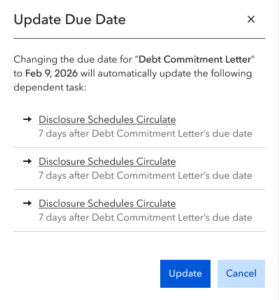
- Preview changes – See how the new dates will impact your schedule before you apply them.
Good to know
- This feature aligns due dates with your plan as it evolves; it does not trigger task status changes (e.g., completion).
- Business-day logic excludes weekends/holidays when calculating offsets.
Best practices
- Use dependencies to preserve task relationships across complex timelines.
- Review date previews before applying changes to avoid unintended shifts