Installing the Outlook Add-in
Install Link: https://appsource.microsoft.com/en-us/product/office/WA200007975?tab=Overview
Requirement for the DBL Outlook Add-in
Microsoft Permissions
In some cases, you’ll be able to include the DBL Outlook add-in in your Outlook experience yourself. In others, one of your Microsoft admins will have to add it to your organization. You can try it yourself using the Microsoft AppSource link below and if the installation fails, please send this page to your Microsoft 365 admin.
Supported Platforms
- Outlook on the web
- Outlook on Windows (2016 and later)
- Outlook on Mac (2016 and later)
- Outlook on iOS
- Outlook on Android
Firewall Settings
If your firm has a firewall that blocks new websites by default, please ask your IT administrator to add https://outlook.dashboardlegal.com your firewall allow-list.
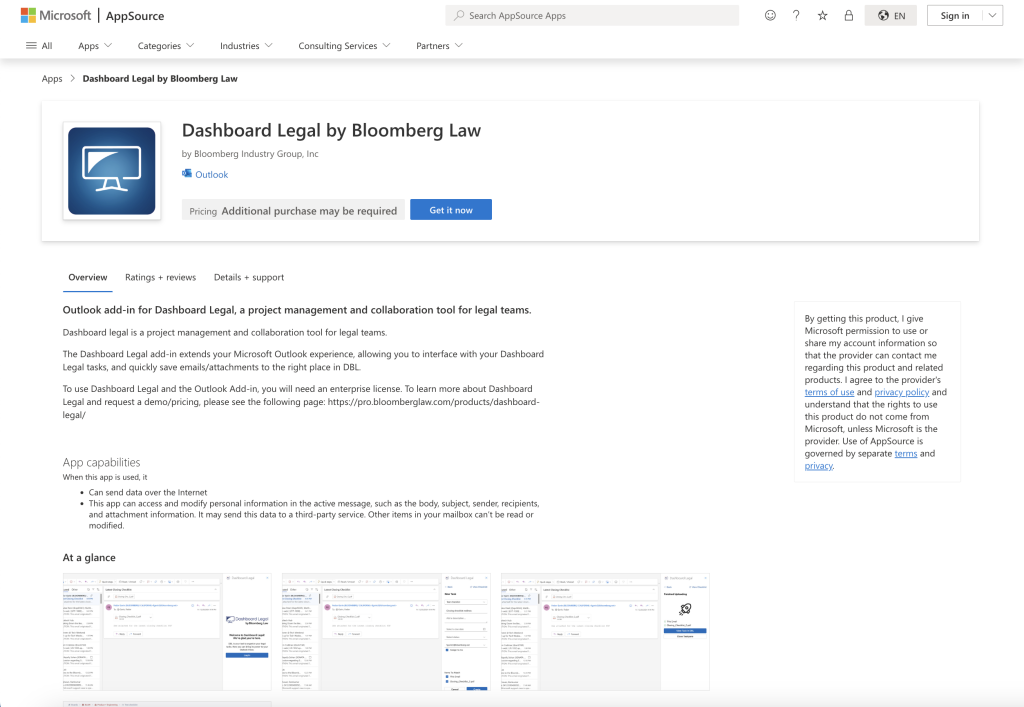
Install the DBL Outlook add-in from Microsoft AppSource
To install the Dashboard Legal outlook add-in, please go to this page and press “Get it now”
https://appsource.microsoft.com/en-us/product/office/WA200007975?tab=Overview
Other installation options
- On Web: Open an email, press the apps button, and press “Add Apps”
- On Mac: Press “Get Add-Ins” in the more menu of the top nav-bar