Board Management
This tool allows admins within Dashboard Legal to centrally manage boards and their associated workstreams, members, and integrations.
This can be accessed by opening the user menu (top right of the page), clicking ‘Org Settings’, then clicking the ‘Board Management’ tab.
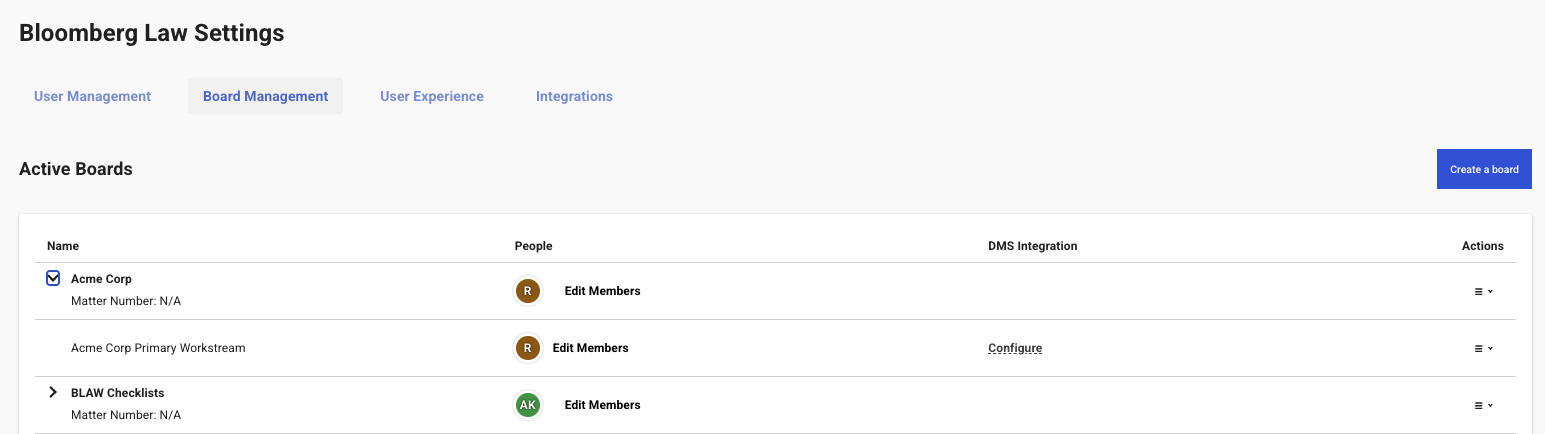
Boards are listed in two sections: Active Boards and Archived Boards.
Each board can be expanded by clicking the arrow on the left, which will show its workstreams.
Creating Boards
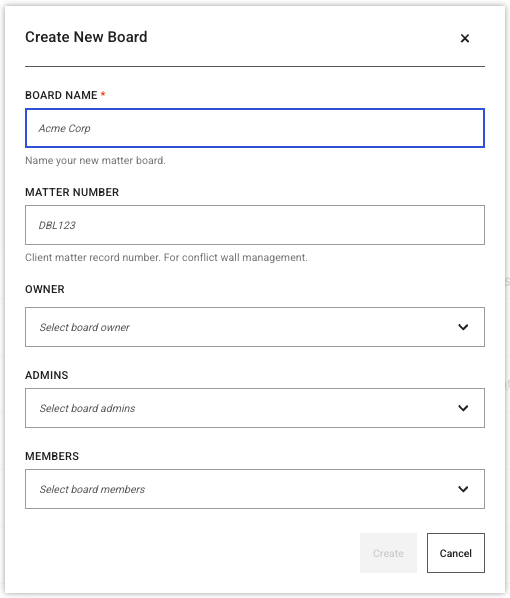
Additional boards can be created using the ‘Create a Board’ button above the boards table.
Within here, you can specify the board owner, admins, and members. This allows you to create boards for others in your org, without including yourself in the board.
Manage Board Members
Click ‘Edit Members’ to manage the members of a board.
You add/remove members, and modify member roles from here.
Additional Board Actions
You can find the actions menu on the right side of each board row with the following additional actions:
- Edit: Update board name/matter.
- Add Workstream: Create a new workstream under the board.
- Archive/Unarchive: Change the board’s archived status.
- Delete: Permanently remove the board and all its workstreams.
Workstream Management
Similar to boards, each workstream can be managed via this page. You will find actions similar to those on the boards, including Edit Members, Edit, Archive/Unarchive, and Delete.
DMS Integration
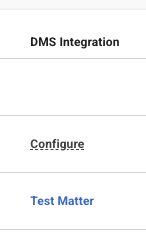
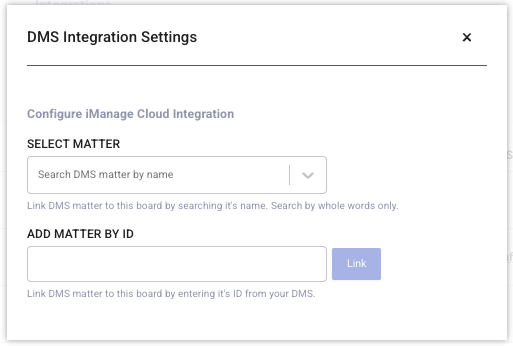
Each workstream row contains a DMS integration column, from which you can view and edit the DMS integration (if setup for your org). Simply click on ‘Configure’ (for new integrations), or the name of the matter (for existing):