Configuring the NetDocs Integration
NetDocs integration capabilities
The NetDocs / Dashboard Legal integration brings your organization’s documents to your favorite matter management tool. By linking a Dashboard Legal board to a NetDocs workspace, you can achieve the following:
- Visualize matter documents in the same place as your team chat & checklists
- Upload new versions of documents directly from Dashboard Legal
- Preview & check out documents directly from Dashboard Legal
- Search for documents by name
- Link documents to checklist tasks
Integration Security
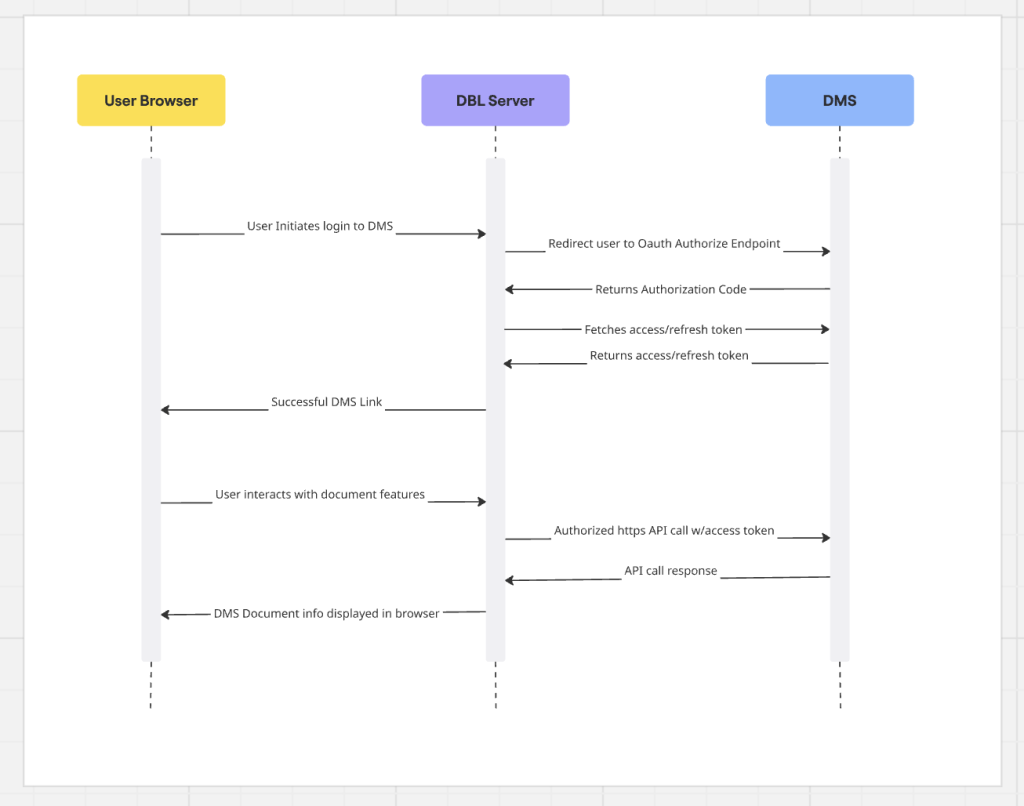
- The integration uses Oauth2 to authenticate users
- Dashboard Legal does not store any documents or their contents
- Dashboard Legal does not store user NetDocs credentials
- Documents are accessed via API on behalf of the logged-in user
- Ethical walls are preserved, as long as they are configured in NetDocs
Steps to Integrate
- Log into your NetDocs admin portal, and enable Dashboard Legal as you would for other integrated apps
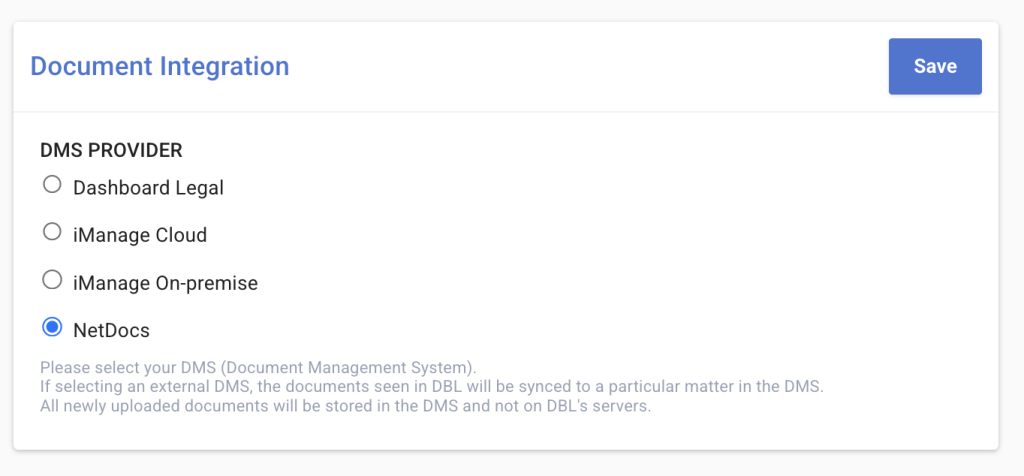
- Enable the NetDocs integration in DBL
- Log into DBL with an Owner/Admin and use the account dropdown to go to Organization Settings > Integrations.
- Select “NetDocs” and press “Save”
- Configure the “NetDocs Configuration” section
- Select your NetDocs server (currently we support US & EU), and press “Save” if you have changed it
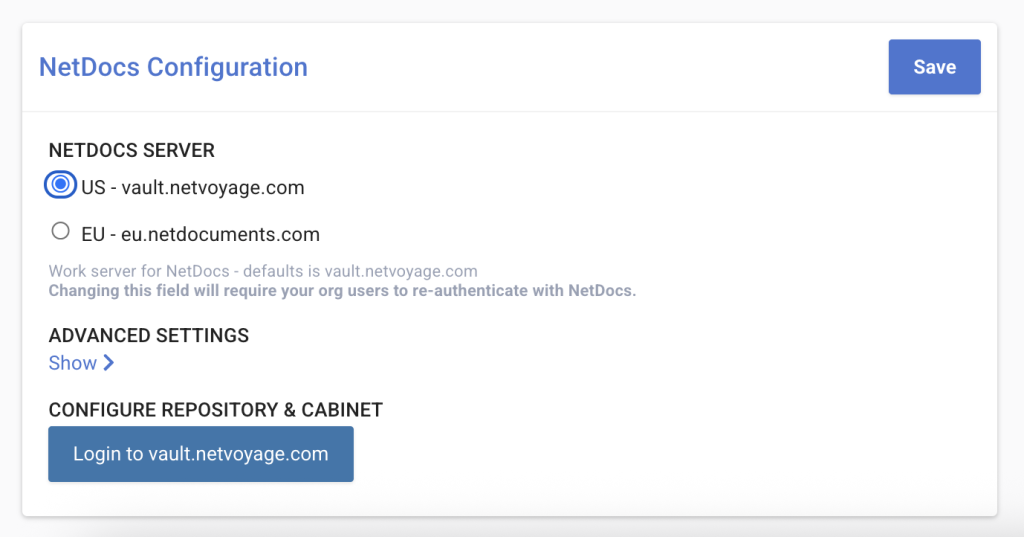
- Select your NetDocs server (currently we support US & EU), and press “Save” if you have changed it
- Test the integration
- Press the Login button. You will be taken to your NetDocs server to log in. Authenticate and accept permissions.
- Configure your default repository & cabinet
- Select the repository & cabinet you want to use from the dropdown
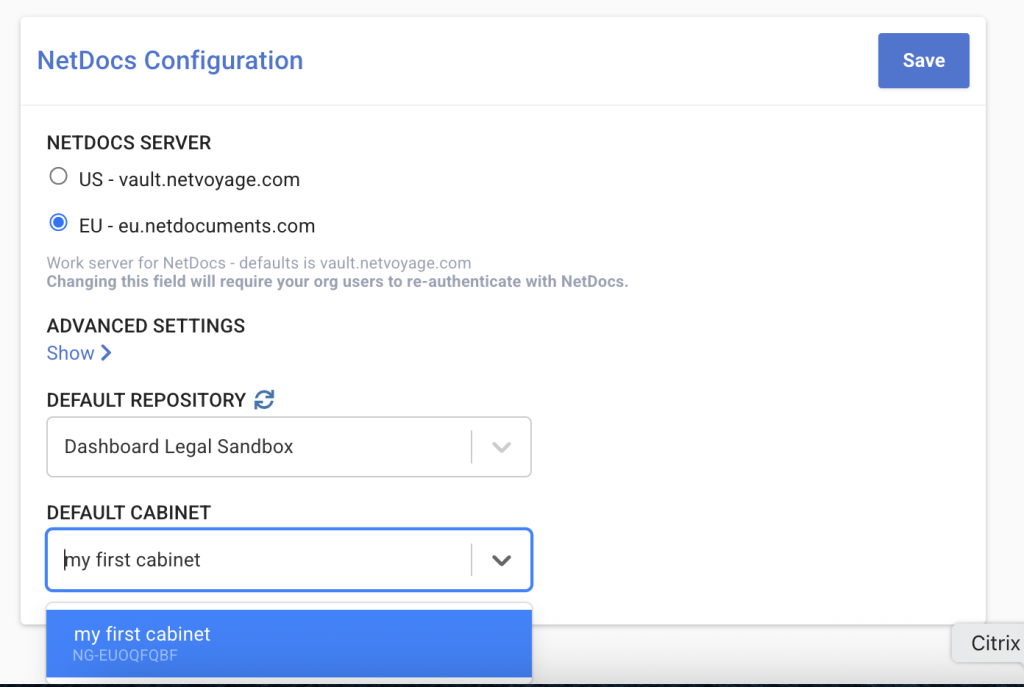
- Select the repository & cabinet you want to use from the dropdown
How it works
The NetDocs integration will enable your organization users to log into NetDocs via their account integrations settings page. The authentication is Oauth2-based, and after being redirected to NetDocs to enter their credentials, they will be able to view the same documents in Dashboard Legal as they would in their NetDocs UI.
If a user has not linked their NetDocs account, they will not be able to see any documents in Dashboard Legal, but a message asking them to log in. The user should only have to log in once, but if they ever want to refresh their API token, or disconnect their NetDocs account, they may do so from their account integration page.
Please take a look at the how to guide for managing documents as a user or workstream admin.
Administering the NetDocs integration
- NetDocs matters are mapped to Dashboard Legal Workstream boards. In the settings for the board, board admins will find a dropdown to select the NetDocs matter for that workstream.
- Once linked, that matter’s documents will show up in the workstream board. A NetDocs matter can only be linked to one Dashboard Legal Workstream.
- You can only set up one DMS integration for your organization. If you go back to the organization integration settings and select “Dashboard Legal”, the workstream documents will source from Dashboard Legal’s DMS. Although it’s possible to toggle between various DMS providers, we’d recommend not doing that.